Main EXCEL commands when migrating your site
Category
ADDING .jpg at the end of each cell
= A1&".jpg"
REMOVING LAST 5 CHARACTERS ON THE RIGHT IN A CELL
=LEFT(A1;LEN(A1)-5) instaed of =LEFT(A1,LEN(A1)-5)

ADDING .jpg at the end of each cell
= A1&".jpg"
REMOVING LAST 5 CHARACTERS ON THE RIGHT IN A CELL
=LEFT(A1;LEN(A1)-5) instaed of =LEFT(A1,LEN(A1)-5)
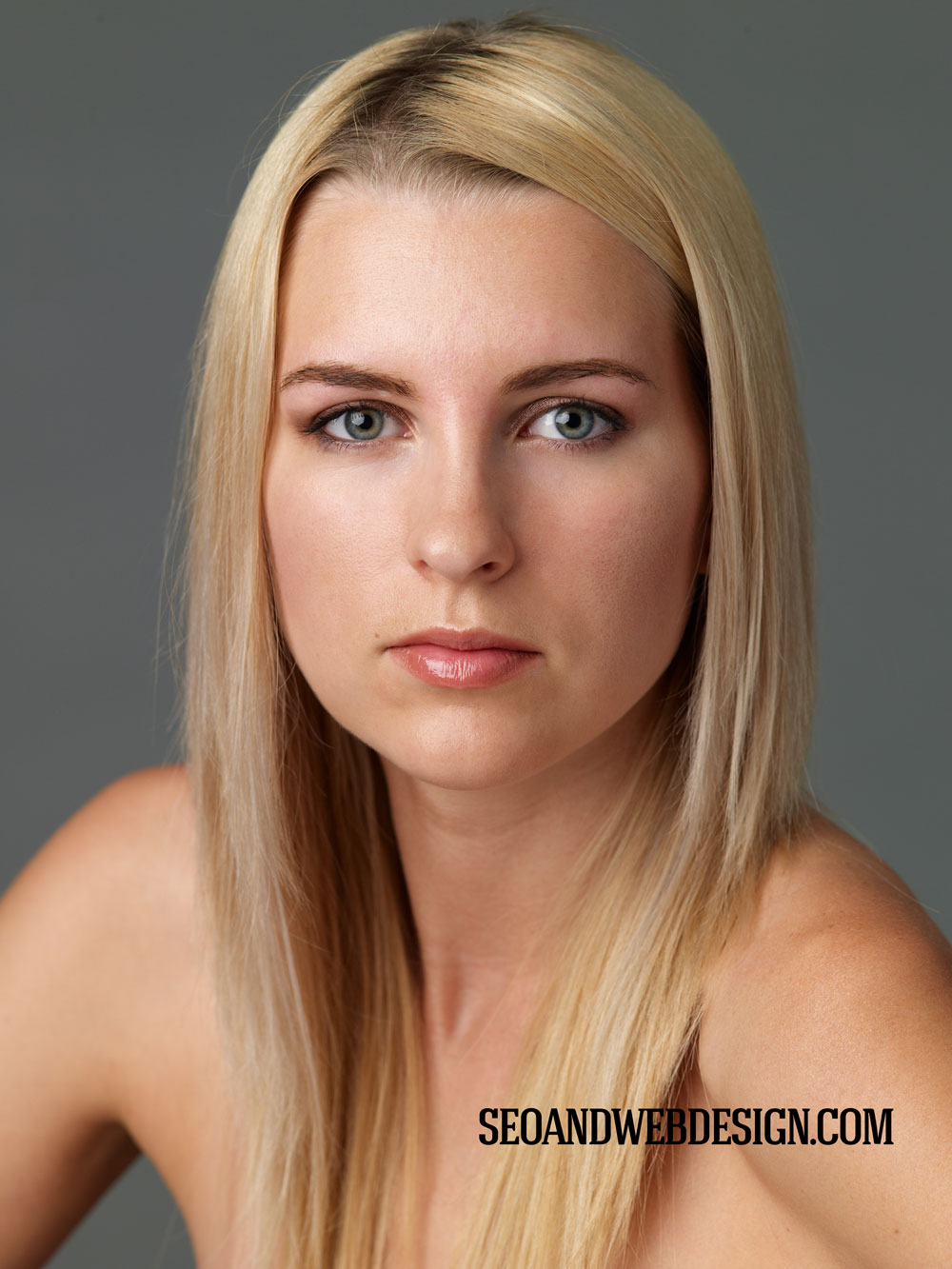
Here is another example of the latest retouch I did today. Well, this one was not easy. We all know Pamela Anderson. I think she was the most beautiful woman of all time. Well now she gets a little older. She still looks good. So I tried retouching skills on her.
What I did is:
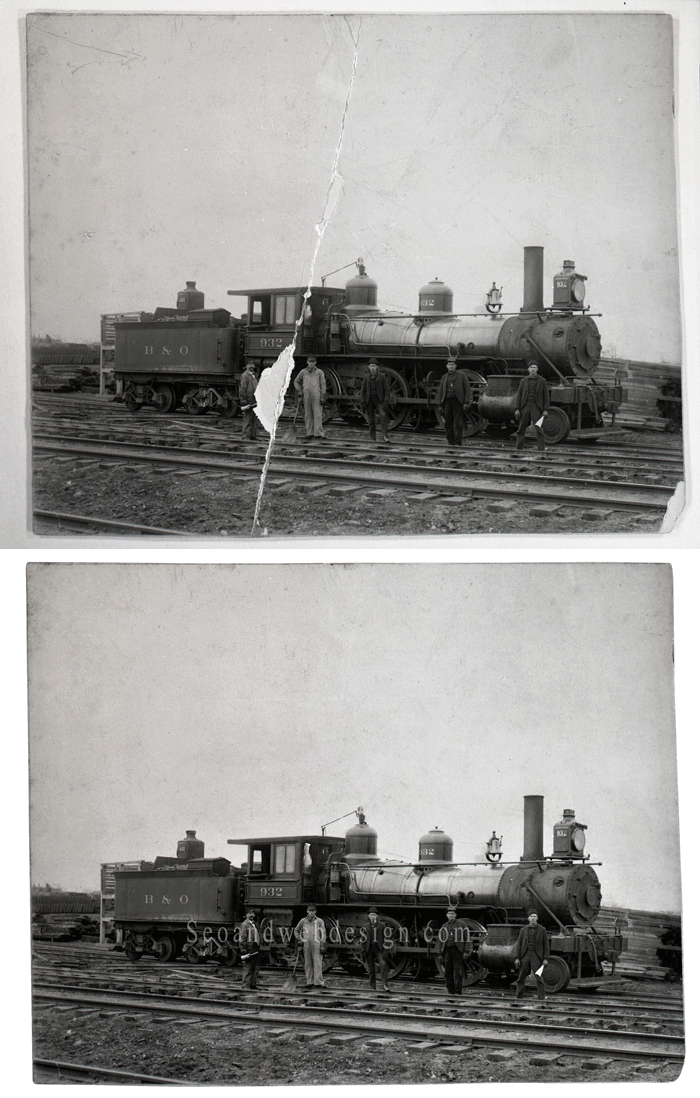
Here is a great old picture I found in my files. Apparently, it was badly damaged so I had to restore it. Photo editing of this image took 1 hour. I would say it is not that easy to restore old images. Here you can see before and after animated image. I had to restore and edit every single pixel of this image. I did not want to over retouch, I wanted to keep the image old but not badly damaged.
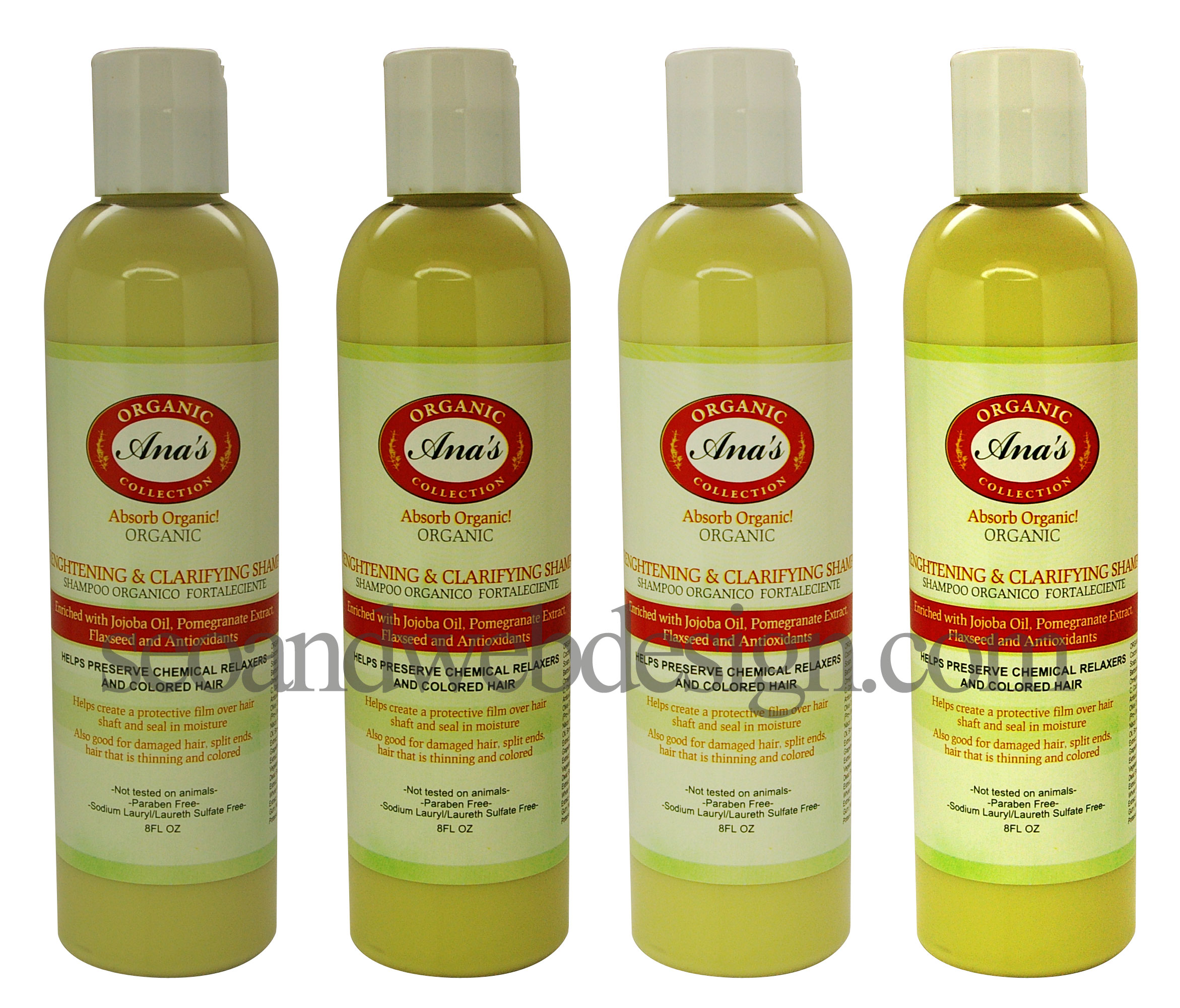
We are offering beside jewelry retouching only background removal for other products too. We offer low price for bulk orders. We can remove background or clip path from pictures of your products. Those can be shampoos, like you can see in the picture below, it can be clothes for your fashion website.
You name it. We can clip path from almost anything. Contact us for more info.
We can also quickly adjust color, like you see in this sample. Sharpen your images.....Let us delete background in photoshop for you. You can send us a sample too.
Many clients are asking me how to take pictures of their jewelry. Here is your chance to learn how to master jewelry photography yourself. Your pictures will look like pictures from Tiffany's photography catalog. We will teach you how to select the best camera for jewelry. The DVD contains over 3 hours of video material. We have retouched over 50000 images in the past 9 years. Sometimes we have to decline customer who has really bad images.
I am constanly adding new videos to our Jewelry Cleaning DVD Tutorial. The latest example is the wonderfula white gold diamond ring. I cleaned it and all the retouching is in video 8 on our DVD.
You get also PSD of the fils, that means photoshop file with all the steps on separate layers.
You can do exactly how I do it.
Here is before and after.
Buy the How to retouch Jewelry DVD here
How would you like to have professionally retouched images ready to be published in a magazine, website, personal portfolio, etc. It is so simple, check our samples below and just give us a call or send us an email.
Here is a beautiful sample of photohoped and non photoshoped jewelry image. Do you know that a perfectly retouched image can double or triple your sales?
Our client Joe V. has an online jewelry store. He sells around 2000 diamond pieces, everything from an engagement rings, bridal sets, anniversary, fancy diamonds, etc....
Finally, after so many requests our jewelry retouching video tutorial is ready. After you purchase it, you can download it from our site. We packed the DVD with retouching tips, step by step Photoshop instructions. It does not matter if you never opened Photoshop in your life. You will be able to become an expert Jewelry Retoucher. In our videos, we will show you exactly how we do retouching.
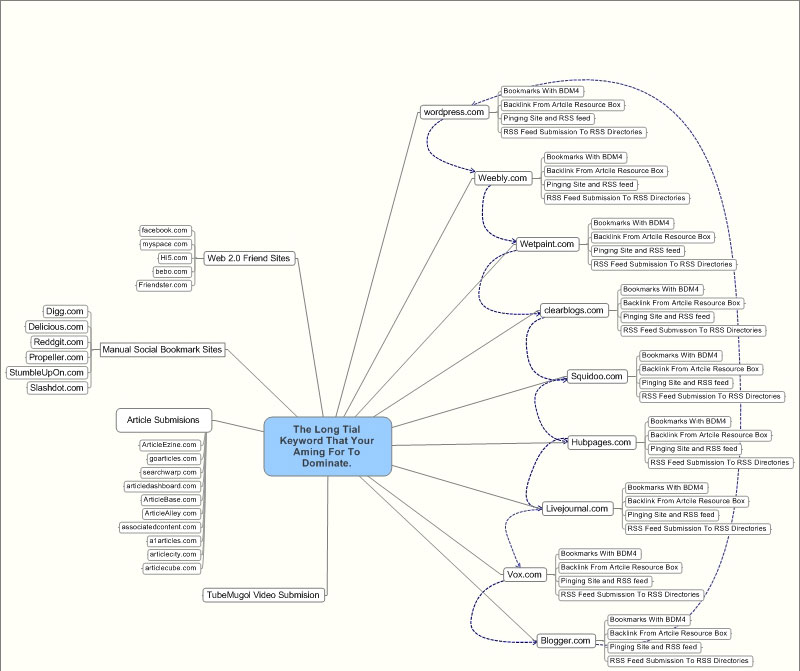
Here is what I have been doing lately and of course our team. This is really amazing. Just check the picture and you will see what I am talking about, you have many options to get links from, so here is a basic link building structure. Remember good bricks give you a good house, good links bring you success.
Have an exceptional idea? Let's talk and see how we can help.